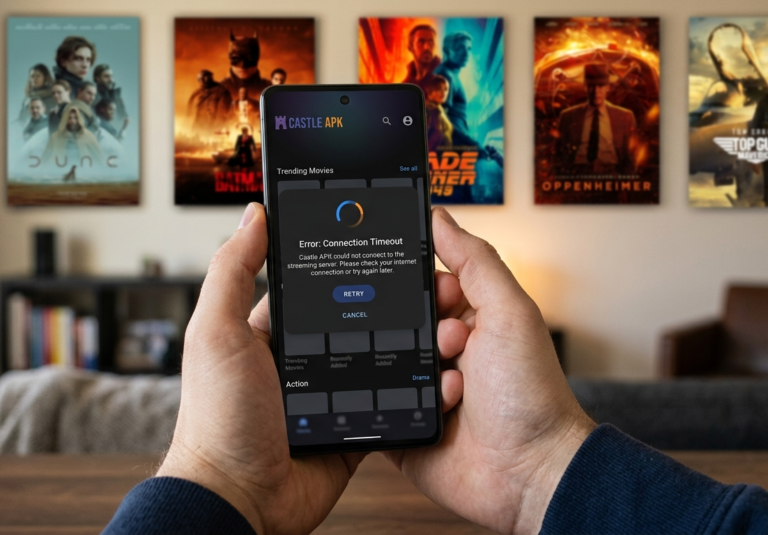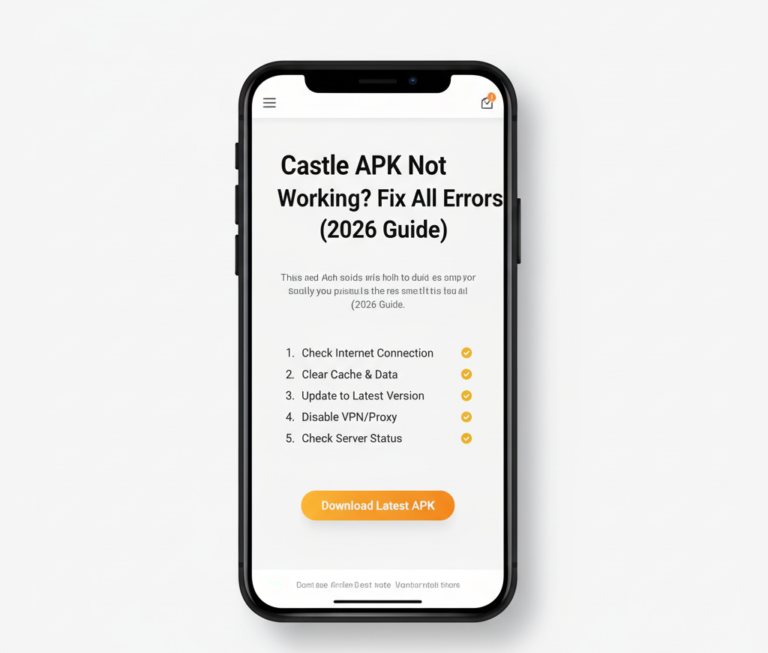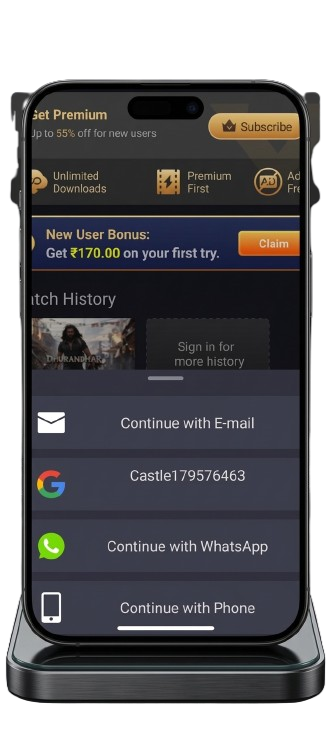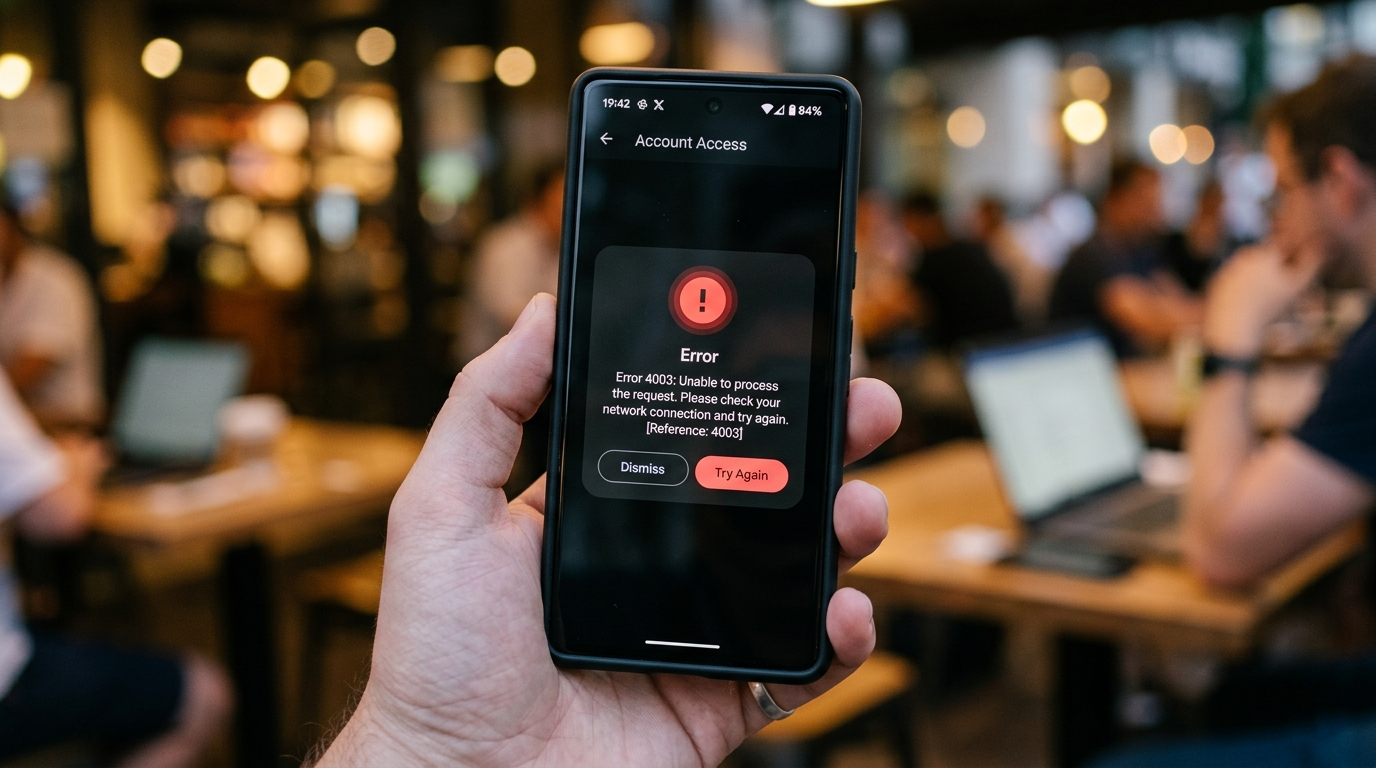
Error 4003 appears in Castle APK when the application cannot establish or maintain a connection to its streaming servers. The error typically shows as a popup or overlay message reading “Error 4003,” “Connection Error 4003,” or “Server Error 4003” — blocking the app’s home screen or interrupting content that was playing.
What makes Error 4003 particularly frustrating is that it can appear suddenly without any change on your end — the same app that was working perfectly an hour ago now refuses to connect. This is because Error 4003 can originate from your device, your network, or Castle APK’s servers, and the fix differs for each origin.
This guide identifies which cause matches your specific situation, provides exact fix steps for each one, and includes separate instructions for Android phones, Firestick, and Smart TV users. For general Castle APK login problems that may look similar, read our Castle APK login issues fix guide.
Quick Overview
| Detail | Information |
|---|---|
| Error Code | 4003 |
| Error Type | Server / Connection failure |
| Affected versions | Castle APK 2.0.9, 2.1.0, 2.1.1 |
| Affected devices | Android, Firestick, Smart TV |
| Fix time | 5 to 15 minutes |
| Difficulty | Easy |
What Causes Error 4003 in Castle App?
Error 4003 is a network-layer error code that Castle APK returns when it cannot complete a server handshake — the process of establishing a verified connection between the app on your device and the content server it needs to stream from.
Unlike error codes that indicate a problem with the app’s installation or your account, 4003 specifically points to a communication breakdown between your device and Castle APK’s servers. This breakdown can happen at three points:
Your device or app — Corrupted cache data from a previous session contains invalid connection parameters. The app tries to use these outdated parameters, the server rejects them, and Error 4003 appears. This is the most common cause and is fixed by clearing the app cache.
Your network — Your internet connection is either too slow, too unstable, or being actively filtered by your ISP or network administrator. Connection requests to Castle APK servers are dropped or rejected before completing, triggering Error 4003.
Castle APK servers — The servers are temporarily overloaded, undergoing maintenance, or have changed their connection parameters in a way that older app versions (2.0.9 or 2.1.0) cannot match. This causes Error 4003 for all users simultaneously.
Diagnose Your Error 4003 — Which Fix Applies to You
Rather than trying all seven fixes randomly, use these questions to identify the right starting point:
Does Error 4003 appear immediately when you open the app? → Start with Fix 3 (Clear Cache) — this is the most common cause of immediate-on-launch 4003 errors.
Did Error 4003 appear right after a Castle APK update? → Start with Fix 3 (Clear Cache) then Fix 4 (Version check) — post-update cache conflicts are a common 4003 trigger.
Did the error appear while content was playing, not at startup? → Start with Fix 1 (Internet Connection) — mid-session 4003 errors usually indicate a network stability issue.
Does your general internet work fine but Castle APK specifically fails? → Start with Fix 5 (Server Status) then Fix 6 (VPN) — server-side issues or regional blocks cause this pattern.
Are multiple users reporting Error 4003 at the same time? → Fix 5 (Server Status) — if it is a server issue, no local fix will work until the server recovers.
Is the error appearing on Firestick but not on your Android phone? → Start with Fix 3 (Clear Cache on Firestick) — Firestick has more limited resources and cache conflicts happen more frequently.
7 Real Fixes for Error 4003
Fix 1 — Verify and Stabilize Your Internet Connection
A weak or intermittent internet connection is responsible for a significant portion of Error 4003 cases. Castle APK requires a consistent connection to initialize its server handshake — even brief drops during this process trigger Error 4003.
Minimum connection requirements:
- 3 Mbps for standard definition playback
- 5 Mbps for HD streaming
- 10 Mbps for Full HD without buffering
Steps to diagnose and fix your connection:
- Open your browser and visit fast.com to test your current speed
- If speed is below 3 Mbps, the connection quality is your Error 4003 cause
- Switch from Wi-Fi to mobile data (or vice versa) and test Castle APK — if it works on mobile data but not Wi-Fi, your router is the issue
- Restart your router: unplug the power cable, wait 30 seconds, plug it back in, wait 60 seconds for full reconnection
- Move your device closer to the Wi-Fi router — wall obstructions and distance reduce effective speed significantly
- Switch to the 5GHz Wi-Fi band if your router broadcasts both 2.4GHz and 5GHz networks — 5GHz provides faster, less congested connectivity
- Disconnect other devices from the same network temporarily — shared bandwidth on a slow connection causes intermittent errors
After improving the connection, force-close Castle APK and reopen it rather than just tapping Retry.
Fix 2 — Force Stop and Restart Castle APK
A stuck or frozen app process can prevent Castle APK from properly initializing a new server connection. Force stopping clears the running process entirely and allows a clean restart.
Steps for Android:
- Do not tap the Castle APK icon to restart yet
- Go to Settings → Apps → Castle APK
- Tap Force Stop
- Confirm by tapping OK
- Wait 10 seconds
- Open Castle APK fresh from your home screen
Steps for Firestick:
- Go to Settings → Applications → Manage Installed Applications
- Select Castle APK
- Tap Force Stop
- Wait 10 seconds then relaunch
This fix is most effective when Error 4003 appeared while the app was already open and running, rather than on initial launch.
Fix 3 — Clear Cache and App Data
Clearing cache is the most effective single fix for Error 4003. Cached connection data from a previous session — particularly after an app update or a server-side change — contains parameters that no longer match what the current server expects. This mismatch triggers Error 4003 on connection attempt.
Steps for Android phones and tablets:
- Open Settings
- Tap Apps or Application Manager
- Select Castle APK from the list
- Tap Storage
- Tap Clear Cache — wait 5 seconds
- Tap Clear Data — confirm in the dialog
- Restart your device completely
- Open Castle APK and log in again
Steps for Firestick:
- From Firestick home, go to Settings
- Select Applications → Manage Installed Applications
- Find Castle APK and select it
- Tap Clear Cache → wait 5 seconds
- Tap Clear Data → confirm
- Hold the power button on your remote → select Restart
- After restart, open Castle APK
Steps for Smart TV:
- Go to Settings → Apps → See All Apps
- Select Castle APK
- Tap Clear Cache then Clear Data
- Perform a full TV restart (power button, not standby)
- Reopen Castle APK after restart
Expected result: Error 4003 disappears and the app loads its home screen. If the error persists after clearing cache, proceed to Fix 4.
Fix 4 — Update Castle APK to Version 2.1.1
Running an older version of Castle APK is a direct cause of Error 4003 in cases where Castle APK’s servers have updated their connection protocols. Older app versions (2.0.9 or 2.1.0) may be unable to complete the new handshake process the server requires, resulting in Error 4003 on every connection attempt.
Castle APK 2.1.1 is the current release and includes server communication updates that resolve compatibility issues introduced after 2.0.9 and 2.1.0 were released.
Steps:
- Uninstall your current version: Settings → Apps → Castle APK → Uninstall
- Restart your device after uninstalling
- Download Castle APK 2.1.1 fresh from verified download sources — verify the file size is approximately 57.3 MB
- Install the fresh APK: File Manager → Downloads → tap file → Install
- Open Castle APK and test connection
Why you need a fresh download:
If you previously had a corrupted installation, reinstalling from the same downloaded file reproduces the same problem. A fresh download ensures you are starting from a verified, complete file.
Fix 5 — Check Castle APK Server Status
If Error 4003 appeared suddenly without any change on your device or network, Castle APK’s servers may be temporarily unavailable. This happens most often in three situations:
- Immediately after a new version release when server load spikes from mass updates
- During scheduled or emergency maintenance
- During major live events (PSL, IPL finals, international cricket) when simultaneous user count exceeds server capacity
How to confirm it is a server issue:
- Try connecting on a completely different network (mobile data vs Wi-Fi, or a friend’s hotspot)
- Check Reddit’s r/androidapps or relevant Telegram/WhatsApp groups for reports of other users experiencing Error 4003 simultaneously
- Try a different device with the same Castle APK account — if both fail identically, the issue is server-side
What to do during a server outage:
Wait 30 to 60 minutes and try again. Server issues after major releases typically resolve within this window. Do not repeatedly uninstall and reinstall during an outage — this will not speed up server recovery and wastes time.
Fix 6 — Use a VPN to Bypass Regional Blocks
In some countries, internet service providers block connections to Castle APK servers at the network level. When this happens, every connection attempt returns Error 4003 because the request never reaches the server — it is intercepted and rejected at the ISP level.
Signs that regional blocking is causing your Error 4003:
- Castle APK has never worked in your current location
- General internet works perfectly but Castle APK specifically always fails
- Error 4003 appears every time without any pattern related to time or network changes
- Using a mobile data connection from a different carrier works but your home Wi-Fi never does
Steps to use a VPN to resolve regional Error 4003:
- Install a trusted VPN application — NordVPN, ExpressVPN, or ProtonVPN are reliable choices
- Open the VPN app and connect to a server in the UK, USA, or Germany — these typically have the fastest access to Castle APK servers
- Wait for the VPN to confirm connection
- Open Castle APK — Error 4003 should be resolved once traffic is routed through the VPN server
- Keep the VPN active during your entire Castle APK session
Note on free VPNs: Avoid free VPN services for this purpose. Free VPNs typically throttle bandwidth severely, which can cause new types of streaming errors even after resolving the regional block. A paid VPN provides the connection stability needed for uninterrupted streaming.
Fix 7 — Complete Reinstallation With Fresh Download
If Fixes 1 through 6 have not resolved Error 4003, the installation itself is likely corrupted. Files that were partially downloaded, interrupted during installation, or modified may cause persistent connection errors that no setting change can fix.
Steps for a complete reinstallation:
- Uninstall: Settings → Apps → Castle APK → Uninstall → confirm
- Restart your device — this is important; do not skip this step
- Download fresh: Visit our Castle APK 2.1.1 download guide for how to download — do not reuse the previously downloaded APK file
- Verify file size: Confirm the downloaded file is approximately 57.3 MB before installing
- Scan before installing: Upload to VirusTotal.com to confirm the file is clean
- Install: File Manager → Downloads → tap Castle APK file → Install
- First launch on stable connection: Connect to a reliable Wi-Fi network before opening the reinstalled app for the first time
For Firestick reinstallation, use the Downloader app method covered in our Firestick installation guide.
Error 4003 on Specific Devices — Additional Notes
Firestick and Fire TV: Firestick’s limited RAM (1GB on Firestick Lite, 1.5GB on 4K versions) makes it more susceptible to cache-related Error 4003. Clear cache every two weeks on Firestick to prevent buildup. Also confirm your Firestick has at least 500MB of free storage — insufficient storage prevents the app from writing connection data correctly.
Android phones with less than 2GB RAM: Low-RAM devices sometimes trigger Error 4003 when the system kills Castle APK’s background process to free memory, then the app restarts in a partial state. Enable Castle APK to run in the background: Settings → Apps → Castle APK → Battery → Allow Background Activity.
Smart TVs: Smart TV installations of Castle APK are more sensitive to network quality than phone installations. Connect your TV directly to the router via ethernet if Wi-Fi consistently triggers Error 4003 — wired connections eliminate the interference-related packet loss that causes mid-session 4003 errors on TV platforms.
Prevention — Stop Error 4003 From Returning
Following these habits prevents most recurrences of Error 4003:
- Update to the latest Castle APK version whenever a new release is announced — our version update guide covers each release
- Clear Castle APK cache monthly: Settings → Apps → Castle APK → Storage → Clear Cache
- Connect to a stable network before opening the app — starting Castle APK on a weak connection increases Error 4003 likelihood
- Avoid streaming during peak server load times when possible — evenings and during major live sports events
- Keep at least 1GB of free device storage available — storage constraints affect connection handling
Frequently Asked Questions
What exactly does Error 4003 mean in Castle APK? Error 4003 is a server connection error that appears when Castle APK cannot complete its connection handshake with streaming servers. It can originate from your device (corrupted cache), your network (slow or blocked connection), or Castle APK’s servers (downtime or maintenance). The cause determines the correct fix.
Why does Error 4003 appear on Castle APK 2.1.1 when it worked on 2.1.0? This typically indicates a cache conflict between the 2.1.0 session data stored on your device and the new version’s connection parameters. Clear cache and data through Settings → Apps → Castle APK → Storage → Clear Cache → Clear Data, then restart your device. This resolves the vast majority of post-update 4003 errors.
Does Error 4003 mean my Castle APK account is banned? No. Error 4003 is a connection-level error, not an account-level error. It has nothing to do with your account status. Account-related issues produce different error messages. If you suspect an account problem, check our Castle APK login issues guide.
Will clearing app data delete my downloads? Clearing data removes locally stored files including offline downloads. It does not affect your account — your watchlist and account history are stored on Castle APK servers and will be restored when you log back in after clearing data.
Is Error 4003 specific to Castle APK or do other streaming apps have it? Error 4003 is a generic HTTP/connection error code used across many applications. In Castle APK it consistently indicates a server communication failure. The same numerical code in a different app may mean something different — error code meanings are app-specific.
How do I know if Error 4003 is from my end or Castle APK’s servers? Test on a completely different network connection — switch from Wi-Fi to mobile data or use a mobile hotspot. If Error 4003 disappears on the different network, the issue is your original network. If it persists across multiple different networks, the issue is server-side or with your installation. Also check if Error 4003 is being reported by other users simultaneously — simultaneous widespread reports indicate a server issue.
Final Words
Error 4003 in Castle APK is almost always temporary and fixable without technical expertise. Clear cache first — this resolves the majority of cases. If that does not work, check your internet connection quality, verify you are running Castle APK 2.1.1, and test whether the issue is server-side by trying on a different network.
For persistent Error 4003 that does not respond to any of these fixes, a complete fresh reinstall from a verified download resolves the remaining cases.
For related issues, explore our complete Castle APK not working after update guide.
About the Author
Bilal A — Network Connectivity and Streaming App Diagnostics Specialist
Bilal focuses on diagnosing network-related errors in streaming applications, connection failure analysis, and device-specific troubleshooting for Android, Firestick, and Smart TV platforms. He has analyzed error patterns across multiple Castle APK versions to develop systematic, device-specific fix sequences that address the actual root cause rather than generic troubleshooting steps.
For more guides, visit castleapkguide.com