Before installing any APK file that you downloaded from the internet, verifying its safety is not optional — it is essential. Castle APK is a popular streaming app, which makes it a frequent target for fake and modified versions that look identical to the real thing but contain hidden malware, spyware, or aggressive adware.
This guide walks you through 7 specific, actionable methods to verify that a Castle App file is safe before installing it on your Android device, Firestick, or Smart TV. Each method includes exact steps, the tools you need, and what to look for in the results.
If you already installed a version you are not sure about, jump to Fix 7 — we cover post-installation warning signs and what to do if you detect a problem.
Quick Overview
| Check | Time Required | Difficulty |
|---|---|---|
| Source verification | 2 minutes | Easy |
| File size comparison | 30 seconds | Easy |
| VirusTotal scan | 3 minutes | Easy |
| Permission review | 2 minutes | Easy |
| File name check | 1 minute | Easy |
| Mod version detection | 2 minutes | Easy |
| Post-install behavior check | 5 minutes | Easy |
| Total safety verification | ~15 minutes | Easy |
Why Fake Castle APK Files Exist — and Why This Matters
Castle APK is not available on the Google Play Store. This means every installation happens through a manual APK download — and that creates a significant opportunity for malicious actors.
Fake Castle APK files circulate online for several reasons. Some website operators earn money from advertising clicks, so they create pages that mimic the real Castle APK download experience to generate traffic. Others actively modify the APK to inject adware or data-harvesting code that runs silently in the background.
The risks of installing a fake or modified Castle APK file are real:
Malware infection can allow attackers to access your device remotely, encrypt files, or use your phone for tasks you are unaware of.
Data theft through modified APKs includes capturing login credentials, banking information, and personal messages — especially if the fake app requests excessive permissions.
Aggressive adware in modified versions generates full-screen ads, background ad loading, and unwanted app installations that slow your device significantly.
Device performance issues from poorly modified APK files include battery drain, overheating, random crashes, and unexpected data usage.
A 15-minute safety check before installing eliminates these risks entirely. Here is exactly how to do it.
Step-by-Step
Check 1 — Verify the Download Source
The download source is the most important safety factor. A safe file from a trusted source is almost always genuine. The same file from an unknown source is always a risk — regardless of what the website claims.
Characteristics of a trustworthy Castle APK source:
- The website has clear About Us, Privacy Policy, and Contact pages
- The site focuses specifically on Castle APK guides and tutorials — not a generic “download any APK” site
- No aggressive popup ads or fake “Download Now” buttons that lead to different files
- The URL is straightforward and does not contain suspicious strings of random characters
- The site has been online for more than a few months and has real content beyond just a download button
Red flags that indicate an unsafe source:
- The page has 3 or more “Download” buttons that lead to different files
- The site redirects you multiple times before the download starts
- The website was recently created (check domain age at whois.domaintools.com)
- Pop-up windows appear immediately when you visit asking you to allow notifications
- The page claims the file is “Castle APK Premium Unlocked” or “Castle APK Mod No Ads”
For a verified and safe download source.
Check 2 — Verify File Size Against the Official Version
Legitimate Castle APK files have a consistent and predictable file size for each version. Significant deviations from the expected size strongly indicate that the file has been modified.
Official Castle APK file sizes:
| Version | Expected Size |
|---|---|
| Castle APK 2.1.1 (latest) | ~57.3 MB |
| Castle APK 2.1.0 | ~54 MB |
| Castle APK 2.0.9 | ~52 MB |
How to check file size before installing:
- Locate the downloaded APK file in your Downloads folder using your File Manager
- Long-press the file and select Properties or File Info
- Note the file size in MB
- Compare against the table above
What size deviations mean:
- File significantly smaller (e.g., 12 MB for a version that should be 57 MB) — the file is incomplete, corrupted, or a fake placeholder that downloads additional malicious content after installation
- File significantly larger (e.g., 80+ MB) — the file has had additional code injected, which is the typical signature of a modded version with hidden adware or malware
- File within 1-2 MB of expected size — this is normal variation and does not indicate a problem
Check 3 — Scan the APK File with VirusTotal
VirusTotal is a free online tool owned by Google that scans uploaded files using over 70 different antivirus engines simultaneously. It is the most reliable method for detecting malicious code in APK files and takes under 3 minutes.
Step-by-step VirusTotal scan:
- Open your browser and go to virustotal.com
- Click the Choose File button on the homepage
- Navigate to your Downloads folder and select the Castle APK file
- Wait for the upload to complete — 57 MB files typically take 1-2 minutes on a standard connection
- Wait for the scan to run across all 70+ engines — this takes approximately 30-60 seconds
- Review the results
How to interpret VirusTotal results:
- 0/73 detections — the file is clean and safe to install
- 1-2/73 detections — usually a false positive, particularly common with APK files; check which engine flagged it and whether it is known for false positives
- 3+ detections — treat this as suspicious; do not install until you verify with a second scan or find the file from a different source
- 10+ detections — do not install under any circumstances; the file is almost certainly malicious
Alternative free scanning tools:
If you cannot upload to VirusTotal (file too large on slow connection), these tools also work:
- Hybrid Analysis (hybrid-analysis.com) — detailed behavioral analysis
- Any.run (any.run) — interactive sandbox analysis
- Bitdefender Mobile Security — scan directly on your Android device after download but before installation
Check 4 — Review App Permissions Before Installing
Castle APK, like all Android apps, declares its required permissions in the APK manifest file. You can review these permissions before installing to confirm the app is only requesting what it legitimately needs.
How to check permissions before installing (Android 8+):
- Tap the APK file in your File Manager to begin installation
- Before tapping Install, tap App Info or look for a permissions summary screen
- Review each permission listed
Permissions Castle APK legitimately requires:
| Permission | Reason |
|---|---|
| Internet / Network | Stream and download content |
| Storage | Save downloaded videos |
| Wi-Fi State | Detect connection type for quality adjustment |
| Wake Lock | Prevent screen from sleeping during playback |
Permissions that indicate a fake or modified version:
| Permission | Why It Is Suspicious |
|---|---|
| Read Contacts | Legitimate streaming apps never need your contacts |
| Read SMS / Send SMS | No streaming function requires SMS access |
| Call Phone | A streaming app has no reason to make calls |
| Record Audio | Castle APK does not include voice features |
| Read Call Logs | Completely unrelated to streaming |
| Location (Fine) | Streaming does not require precise GPS location |
If the APK requests any of the permissions in the suspicious list, do not install it. This is a modified version designed to harvest your personal data. For more information on version-specific permission patterns, read our Castle APK fake update warning guide.
Check 5 — Examine the File Name and Folder Structure
The file name of a legitimate Castle APK download follows a predictable, clean naming convention. Suspicious file names are one of the easiest indicators of a fake or modified version.
What a legitimate Castle APK file name looks like:
CastleAPK_v2.1.1.apkcastle-apk-2.1.1.apkcastleapk211.apk
File name patterns that indicate fake or modified versions:
CastleAPK_PREMIUM_UNLOCKED_2.1.1.apk— “premium unlocked” indicates a modCastle_APK_2.6.7_Ultra.apk— version 2.6.7 does not officially existcastleapk_cracked_noads.apk— “cracked” and “no ads” indicate modified versionssetup_castle_app_free.exe— EXE files are Windows programs, not Android APKs- Files with random strings:
a7f3b9_castle.apk— indicates an automatically generated filename from a suspicious distribution server
Version numbers to be suspicious of:
Real Castle APK versions include 2.0.9, 2.1.0, and 2.1.1. Any file claiming to be version 3.0, 4.5, 5.0, 6.9, or 7.x does not correspond to a real release. These fake version numbers are used to attract users searching for “the latest version.”
Check 6 — Avoid Modified and Mod APK Versions
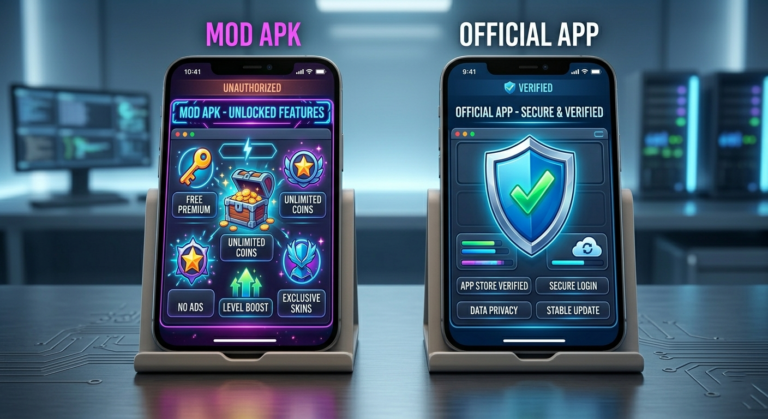
Mod APKs are versions of Castle APK that have been decompiled, modified, and repackaged by third parties. They typically claim to offer premium features unlocked, no advertisements, or exclusive content — none of which is actually delivered reliably.
Why mod APKs are dangerous regardless of the claimed features:
Modifying an APK requires breaking its code open, making changes, and repacking it. This process removes the original developer’s digital signature and replaces it with the modifier’s signature — or no signature at all. Android’s security system uses these signatures to verify app integrity, so a modified APK with a broken signature bypasses this security check entirely.
Beyond the signature issue, the person modifying the APK has full access to its code and can inject anything into the repackaged version — adware, keyloggers, cryptocurrency miners, or remote access tools.
How to identify a mod APK:
- The download page explicitly uses words like “mod,” “premium unlocked,” “cracked,” “patched,” “unlimited,” or “no ads”
- The app version number is higher than the real current version (e.g., 2.6.7 when the latest real version is 2.1.1)
- The file size differs significantly from the original
- The About section inside the app shows a different version than the filename suggests
The safest choice is always the original version. Real Castle APK 2.1.1 is free to install and provides all legitimate features without requiring any modification.
Check 7 — Test App Behavior After Installation
Even with all the above checks, a final behavior test after installation gives you one more layer of confirmation. Legitimate apps behave predictably — fake or modified apps tend to reveal themselves through abnormal behavior within the first few minutes of use.
Open the app and observe for 5 minutes:
- Launch Castle APK and note how long startup takes — normal is 3-8 seconds
- Navigate through the home screen, movies section, and live TV
- Start playing any video for 2-3 minutes
Signs that the installed version is safe:
- App starts normally without requesting unusual permissions on first launch
- Content loads within reasonable time based on your connection speed
- No full-screen ads appear between every navigation action
- The app does not ask for your phone number, contacts, or SMS permissions during setup
Warning signs that indicate a fake or modified version:
- Excessive ads — full-screen interstitial ads appearing every time you tap anything indicate an ad-injected mod
- Unusual permission requests at launch — if the app asks for contacts, location, or SMS access when you first open it, uninstall immediately
- Unknown apps appearing — some fake APKs silently download and install additional apps in the background
- Battery draining rapidly — unusual battery consumption during the first 30 minutes indicates background processes running without your knowledge
- Device overheating — a legitimate streaming app does not cause your phone to overheat during the first few minutes of use
If any warning signs appear: Uninstall immediately through Settings → Apps → Castle APK → Uninstall, then run a malware scan using Malwarebytes for Android (free) to ensure no secondary apps or processes were installed.
Safe vs Unsafe APK — Complete Comparison
| Factor | Safe Original APK | Fake / Modified APK |
|---|---|---|
| Source | Trusted guide site | Random download site |
| File size | ~57.3 MB for v2.1.1 | Significantly different |
| VirusTotal | 0-2 detections | 3+ detections |
| File name | Clean, standard | Contains “mod”, “cracked”, “unlimited” |
| Version number | 2.0.9, 2.1.0, 2.1.1 | 2.6.7, 5.0, or other fake numbers |
| Permissions | Storage, Network only | Contacts, SMS, Location |
| Startup behavior | Normal 3-8 seconds | Slow or crashes |
| Ad frequency | Minimal | Excessive interstitials |
| Battery impact | Normal | Heavy drain |
Common Safety Check Mistakes to Avoid
Skipping the VirusTotal scan because “it takes too long” is the single most common mistake. Three minutes of scanning time has prevented countless malware infections. It takes longer to recover a compromised device than to run a quick scan.
Trusting user reviews on the download page is unreliable because fake APK sites regularly fake or moderate reviews to appear trustworthy. Reviews on the same page as the download are not an independent verification.
Assuming all Castle APK sites are equivalent ignores the significant quality difference between sites. A site focused specifically on Castle APK guides, safety information, and tutorials is a fundamentally different resource than a generic APK aggregator that lists thousands of apps.
Installing without checking permissions skips one of the fastest and most reliable safety indicators. Checking permissions adds 60 seconds to your process and can immediately reveal a fake version.
Frequently Asked Questions
How can I tell if a Castle App file is safe without any technical knowledge? Check three things: the file size (should be ~57.3 MB for version 2.1.1), the download source (avoid sites with excessive ads and multiple fake download buttons), and upload to VirusTotal.com for a free scan. These three checks require no technical knowledge and take under 5 minutes combined.
Can APK files contain viruses even if they look like the real Castle APK? Yes. Modified APKs are specifically designed to look identical to the original — same icon, same interface, same features — while running hidden malicious code in the background. This is why visual inspection alone is not sufficient. Always use VirusTotal to scan the actual file contents.
Is it safe to install Castle APK on my child’s device? Only if you download from a verified source and complete all the safety checks in this guide. Additionally, review the app’s content for age-appropriateness before installation. Stick to the official Castle APK 2.1.1 version rather than any modified versions.
What should I do if VirusTotal shows 1-2 detections? One or two detections out of 70+ engines usually indicates a false positive — this is common with APK files because some antivirus engines flag any manually installed app as potentially unwanted. Check which specific engine flagged it; if it is known for aggressive flagging, the file is likely safe. If you are still uncertain, find the file from a different trusted source and compare results.
Are mod APKs of Castle APK ever safe to install? No. Even if a mod APK from a specific site has not historically caused problems for users, the modification process itself removes the integrity protections that make the original APK verifiable. You cannot confirm what code was added during modification, and the person who modified it has no accountability. The original version is free — there is no benefit that justifies the risk of a mod APK.
What is the fastest way to verify a Castle APK file is safe? Check the file size first — if it matches the expected size for version 2.1.1 (~57.3 MB), upload to VirusTotal. If VirusTotal shows 0-2 detections, install and check permissions on first launch. This process takes approximately 5 minutes and covers the most critical safety factors.
Final Words
Verifying that a Castle App file is safe before installing takes less than 15 minutes and completely eliminates the risk of installing malware, spyware, or modified versions on your device. The most important steps are confirming the download source, checking the file size, and running a VirusTotal scan.
The original Castle APK 2.1.1 is free and provides all legitimate features — there is no reason to risk your device security by downloading from unverified sources or installing modified versions.
For more safety information, read our Castle APK fake update warning guide and the Castle APK mod vs original comparison.
About the Author
Farhan A — Mobile Security and APK Safety Analyst
Farhan focuses on Android application security, APK verification methods, malware detection for mobile apps, and helping everyday users protect their devices from fake and modified APK threats. He has analyzed hundreds of APK files across different streaming app categories and developed practical safety checklists for non-technical users.
For more guides, visit castleapkguide.com